Matching Launch Monitor Tech to Your Hitting Space
Choosing the right personal launch monitor starts with measuring your physical hitting area rather than browsing hardware specs. Every tracking device relies on either Doppler radar, high-speed photometric cameras, or a hybrid combination to read club delivery and ball flight. Radar devices sit behind the golfer and require adequate ball flight distance to calculate spin and axis. In contrast, camera units sit directly opposite the hitting strip or mount overhead, making them vastly superior for tight quarters where ball-to-net clearance is limited.
For an indoor garage or spare bedroom, ceiling height is usually the primary roadblock. Most players require at least nine to ten feet of vertical clearance to swing a driver without hesitation, though taller golfers may need even more. If you choose a floor-based radar, you typically need eight feet of clearance behind the tee and another ten to twelve feet of unobstructed ball flight toward the impact net. Optical systems eliminate rear clearance requirements entirely because they focus exclusively on the impact zone.
Outdoor practice setups on natural grass give radar systems room to breathe, allowing them to track the ball until it lands downrange. When practicing outside, photometric cameras can occasionally struggle with direct midday sunlight washing out flash exposures. Before spending any money, measure your available floor depth, ceiling height, and lighting conditions. Testing different tracking styles at local indoor golf and simulator bays will quickly reveal which sensor form factor works without forcing you to alter your natural swing path.
How Radar and High Speed Optical Cameras Measure Ball Flight
Understanding how launch monitors capture data helps explain why prices swing so dramatically across different models. Doppler radar systems emit continuous microwave signals that bounce off the moving clubhead and golf ball, calculating velocity, launch angle, and spin through frequency shifts. Because radar needs time and distance to observe ball rotation, short indoor flights often force the machine to calculate estimated spin values rather than direct measurements unless specialized reflective metallic dots are applied to the ball surface.
Photometric devices take hundreds of high-frame-rate photographs per second immediately after impact to measure dimple rotation and launch vectors directly. Because these cameras only need a microscopic window of movement right off the tee, they deliver exceptional spin accuracy inside compact spaces. However, ground-based optical units create a defined hitting area, usually measuring roughly twelve by eight inches, which requires re-centering the ball before every strike.
Overhead camera systems represent the most seamless configuration for home environments because they keep the floor completely clear of hardware and cables. Mounted directly to the ceiling joists above the hitting zone, these ceiling monitors easily accommodate both right-handed and left-handed players without physically moving the unit back and forth. While overhead units carry higher hardware costs and require permanent mounting, their convenience and instantaneous shot processing make them the gold standard for dedicated indoor builds.
Entry Level Trackers Under Five Hundred Dollars
Golfers searching for basic ball data on an accessible budget can find surprisingly capable entry-level monitors priced under five hundred dollars. These compact, handheld gadgets focus primarily on basic metrics like total carry distance, clubhead speed, ball speed, and smash factor. While they lack the advanced club path and face angle tracking of professional studio units, they serve as excellent feedback tools for golfers who simply want to verify yardages during range practice.
At this introductory price point, most devices use basic Doppler radar transceivers powered by internal rechargeable batteries. They generally connect via Bluetooth to an app on your smartphone, displaying numbers or reading out yardages through wireless headphones. Keep in mind that budget radar monitors require substantial downrange distance to calculate numbers reliably, so they struggle to provide consistent carry figures when hitting into a net set up only six feet away in a basement.
While sub-$500 trackers do not generate full graphic course simulations, their portability is unmatched. Most weigh less than a pound and slip easily into a golf bag accessory pocket for quick practice sessions. If you frequently visit outdoor facilities or practice at covered driving ranges during winter, these inexpensive gadgets deliver solid value by keeping you accountable to clubhead speed gains and consistent strike contact.
The Value Sweet Spot Between Five Hundred and One Thousand Dollars
The tier falling between five hundred and one thousand dollars represents the most competitive segment of the modern launch monitor market. Devices in this category bridge the gap between simple speed meters and full simulation engines. Manufacturers integrate multi-radar arrays and high-resolution optical sensors, allowing players to capture estimated spin rates, apex height, launch angles, and approximate shot dispersion patterns alongside standard carry yardages.
In this mid-tier bracket, software integration expands significantly. Rather than settling for bare numeric readouts, these units sync with third-party virtual course software and practice combines. You can play digital rounds on simulated courses using an iPad or laptop, making winter practice far more engaging than simply pounding balls into blank netting. The accuracy in this tier is more than adequate for single-digit handicappers tracking yardage gaps across their irons.
However, buyers must watch for recurring software subscriptions and device limitations in this price tier. While the physical hardware may sit just under one thousand dollars, unlocking advanced simulator connectors, club tracking data, or multiplayer capability often requires an annual subscription fee typically ranging between one and three hundred dollars. Factoring software licenses into your long-term ownership budget ensures you are not surprised when renewals come due.
Dedicated Home Simulator Bay Planning and Enclosures
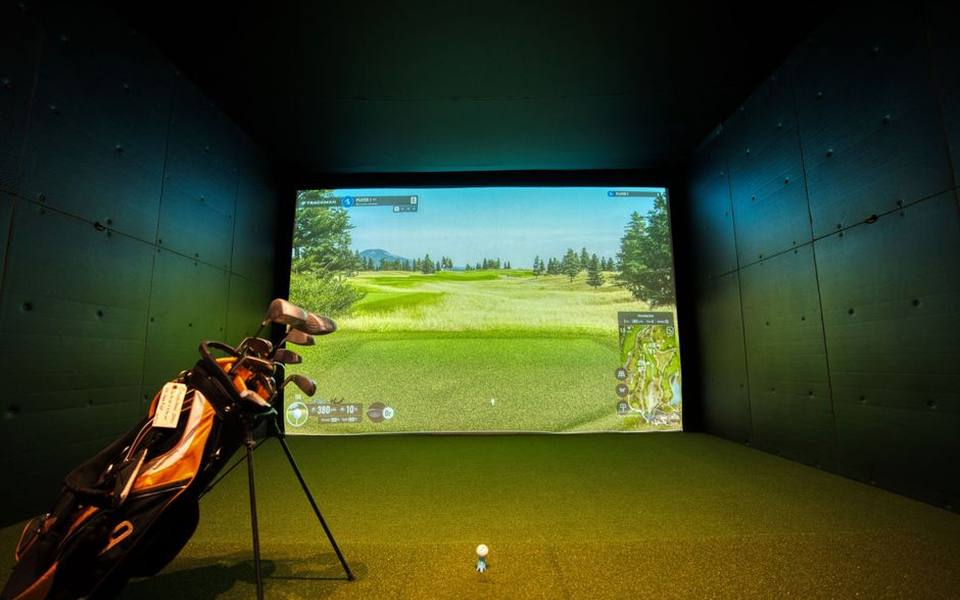
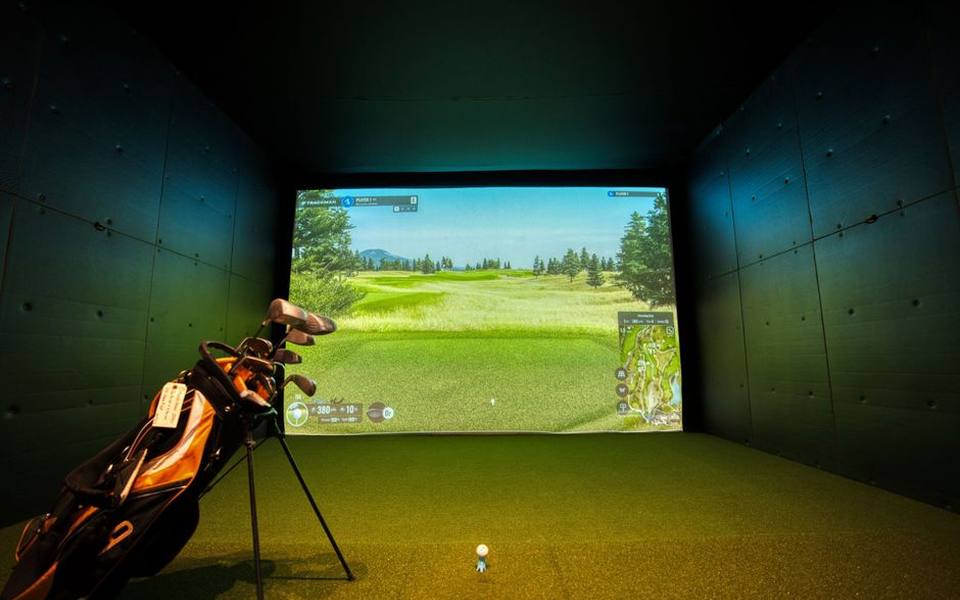
Building a permanent home golf simulator involves much more than just unboxing a launch monitor. The entire room works as a system comprising an impact screen, heavy-duty frame, enclosure side curtains, specialized hitting turf, and a short-throw projector. If your launch monitor is not calibrated to the exact distance from the tee to the screen, your ball trajectory graphics will feel disconnected from your physical strike.
The hitting mat deserves just as much attention as your electronic tracking hardware. Hitting hundreds of balls off cheap, low-pile mats laid directly over concrete garage floors can cause joint fatigue and wrist injuries over time. Quality hitting mats feature dense foam backing or gel layers that absorb downward strikes like natural fairway turf. Setting up proper stance alignment marks on the mat also ensures your monitor reads clean spin axes on every swing.
Lighting design in an enclosure room is critical for camera-based tracking systems. Overhead spotlights placed directly above the ball help high-speed cameras freeze motion without requiring slow shutter speeds that create motion blur. Conversely, you must prevent wash from ambient room lights from dimming your projector image against the impact canvas. Balancing focused tee illumination with dim perimeter light creates a crisp, immersive visual environment.
Commercial Simulators and Tour Grade Radar Pricing
Golfers often ask how much benchmark commercial systems, like the tour-standard TrackMan units, actually cost compared to personal home devices. Professional dual-radar tracking units commonly used on televised tours and in high-end fitting studios typically cost between fifteen thousand and twenty-five thousand dollars for the base hardware alone. Premium indoor ceiling systems and complete commercial bays can easily climb past thirty-five thousand dollars once high-grade software suites and installation services are included.
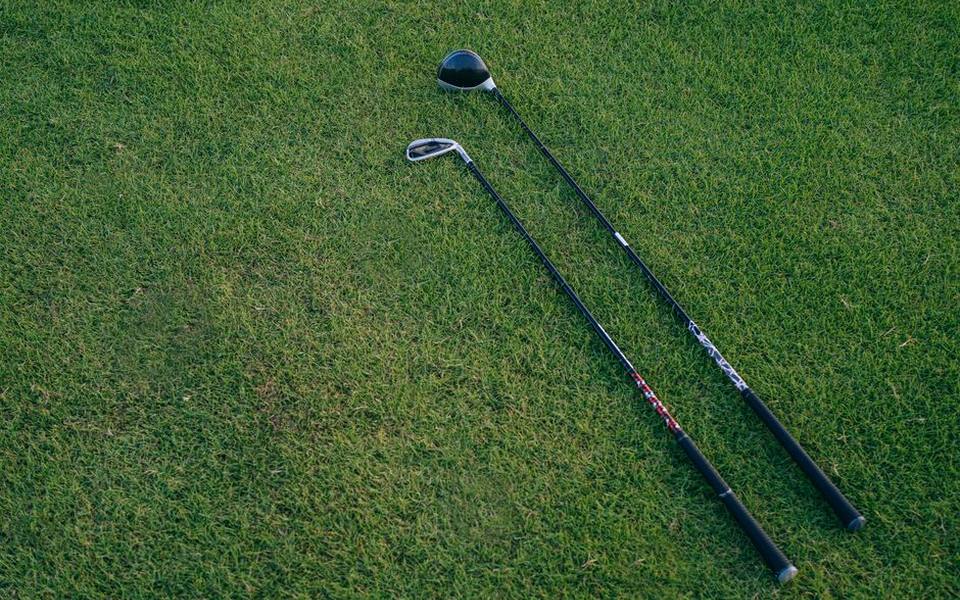
Tour-grade systems command this steep investment because they track every millimeter of ball flight across hundreds of yards downrange without guessing. Dual radar transmitters measure the clubface orientation, dynamic loft, swing plane, attack angle, and impact location on the clubface simultaneously. For certified club technicians providing comprehensive club fitting services, that level of granular club delivery feedback is necessary to dial in custom shaft flex and lie angles.
For an average amateur golfer practicing in a residential garage, spending the equivalent of a new automobile on a commercial radar rig is rarely justifiable. Modern mid-range photometric monitors deliver ball speed, spin rate, and launch angle data within one to two percent of tour radar benchmarks indoors. Unless you run a teaching business or fit touring professionals, consumer-grade monitors offer virtually identical training utility at a tiny fraction of commercial pricing.
Hardware Weight Stability and Net Counterweights
A common query from garage builders involves weight specifications, including questions like how much is twenty pounds in practical home golf setups. In golf bay construction, weight usually refers to three distinct factors: portable monitor casing heft, hitting mat base weight, or tension counterweights used on impact nets. A twenty-pound ballast or sandbag is typically the ideal weight needed on each corner of a free-standing return net to prevent frame migration during repeated driver impacts.
Hardware stability directly affects your data integrity. Portable launch monitors weighing only two to three pounds can easily be nudged or tilted if a shanked ball clips their housing or if heavy vibrations travel through plywood flooring. When a floor monitor shifts even a couple of degrees off square, its internal compass miscalculates horizontal launch angles, turning straight shots into false pushes or hooks on your display.
For outdoor use, heavier portable devices or dedicated weighted alignment docks keep the monitor firmly planted in gusty winds. Some golfers transport their unit in a hard-shell protective travel case, which brings the total package to around fifteen or twenty pounds when packed with tripods, charging bricks, and alignment rods. Keeping your unit level, anchored, and protected from stray ball strikes is essential for long-term tracking consistency.
Understanding Latency Software Subscriptions and Hidden Fees
When calculating the total financial commitment of a home tracking setup, the sticker price on the launch monitor box is rarely the final number. Many hardware makers operate on software-as-a-service models. While basic driving range functions may work straight out of the box, accessing full stroke play, digital course libraries, statistical club bag tagging, and online competitive leagues almost always requires an ongoing annual subscription.
Shot latency is another operational factor that separates entry-level hardware from premium studio gear. Latency refers to the time delay between the physical ball striking the impact net and the digital ball appearing on your screen. Budget systems can exhibit a noticeable lag of two to four seconds as the unit transfers image files over wireless networks to a tablet for processing. Premium units feature onboard processors that render ball flight almost instantaneously upon impact.
You must also account for computer hardware requirements before buying advanced simulator software. High-definition simulation platforms demand dedicated gaming PCs with robust graphics cards and high-performance processing units to render realistic grass textures, weather effects, and 4K course models smoothly. Running complex simulator programs on an outdated home office laptop often leads to frame stutter, connection drops, and frustrating shot misreads.
Future Tracking Technologies and What to Expect
The launch monitor market continues to evolve at a blistering pace, driven by rapid improvements in camera sensor manufacturing, miniature radar transceivers, and machine learning algorithms. Looking forward toward the 2026 market cycle, the traditional boundary between high-end commercial systems and affordable consumer units is dissolving. High-speed vision sensors that previously required bulky external flash units are being replaced by ultra-sensitive global shutter cameras that operate cleanly in standard ambient light.

Artificial intelligence and computer vision are also transforming club tracking. Early consumer units required golfers to affix silver reflective stickers to the clubface to track delivery path, face-to-path angle, and strike location. Next-generation systems train neural networks on millions of swing images, enabling hardware to identify club head contours, grooves, and toe-heel orientations without physical dots or specialized golf balls.
Integration with mobile devices and cloud databases will also become much more seamless. Future units are moving away from proprietary software ecosystems toward open API protocols, letting players stream shot data directly into biomechanical swing analysis apps, wearable sensors, and smart range displays. If you practice at ranges with ball-tracking technology, you can already experience how frictionless automated ball flight logging has become.
Testing Hardware and Validating Numbers Before You Buy
Because personal launch monitors represent a significant investment, committing to a specific model without first testing it can lead to buyer remorse. A unit that performs flawlessly outdoors under the open sky might struggle inside your drywall garage due to radar reflections off metal toolboxes, concrete floors, or overhead garage door openers. Testing monitors in an environment similar to your home space is always wise.
Consider booking an hour at an indoor simulator lounge or commercial fitting center to see different tracking setups in action. Pay close attention to how intuitive the user interface feels, how easy it is to switch between clubs, and whether shot setup routines feel natural or tedious. If you find that setting down alignment sticks and adjusting floor stands every few shots irritates you, an overhead or mounted solution is well worth the extra investment.
Finally, compare the monitor's numbers against your known on-course performance. If you regularly hit a 7-iron 150 yards on the course, but a tracking device repeatedly clocks you at 135 yards indoors, check the ball type and hitting surface before blaming the sensor. Range balls and standard two-piece practice balls fly significantly shorter and spin differently than premium urethane tour balls. Validating equipment with the exact golf balls you play on the course ensures your indoor numbers translate to lower scores outdoors.
Published 2026-09-20 · reviewed with each rebuild, last September 2026.
Find driving ranges near you
The directory lists 3,693 driving ranges by state and city — pick your state or use the “Near me” button in the header.
More guides
-
 Buying
Realistic Costs and Equipment Needed for a Home Golf Simulator
-
 Service
Golf Club Maintenance: Regripping and Reshafting Guide
-
 Money
MoneyGolf Lessons Cost and Beginner Guide: What to Expect and How to Budget
-
 Buying
Golf Club Fitting Cost and Selection Guide
-
 Buying
A Practical Guide to Buying, Selling, and Trading In Used Golf Clubs
-
 Money
MoneyDriving Range Costs, Practice Routines, and Range Etiquette
-
 Service
Fixing Topped Shots and Improving Ball Striking on the Range
-
 Buying
The Complete Guide to Buying Used Golf Clubs and Pre-Owned Equipment
-
 Buying
How to Choose the Best Local Golf Shop and Pro Shop Services
-
 Owning
Miniature Golf and Putt-Putt Guide: Rules, Courses, and Family Fun
-
 Service
Complete Guide to Custom Golf Fitting and Shaft Selection
-
 Buying
Complete Guide to Buying and Maintaining Golf Shoes and Cleats
-
 Owning
Designing and Installing Indoor and Backyard Putting Greens
-
 Service
Golf Swing Analytics, Speed Training, and Shot Tracking Systems
-
 Buying
Golf Practice Nets, Driving Mats, and Backyard Hitting Setups
-
 Buying
How to Buy Used Golf Clubs and Get the Best Demo Day Deals
-
 Owning
Custom Golf Gear Personalization: Stampers, Bags, and Embroidery
-
 Buying
Selecting and Setting Up Home Golf Simulators and Launch Monitors
-
 Service
Choosing Golf Academies, Lessons, and Coaching Programs
-
 Buying
Custom Golf Club Fitting: Shafts, Clubheads, and Specifications
-
 Service
Entertainment Driving Ranges: Planning Group Outings, Corporate Events, and Bachelor Parties
-
 Service
Mini Golf, Footgolf, and Indoor Golf: Complete Venue Guide and Directory
-
 Owning
Tournaments, Scoring Tech, and Gear Upkeep: The Modern Golfer's Guide
-
 Buying
Golf Equipment and Club Fitting Guide: Starter Sets, Drivers, and Custom Builds
-
 Buying
Finding the Right Golf Pro Shop and Equipment Retailer
-
 Owning
Designing and Hosting Mini Golf Events: Indoor Party Venues and Practice Games
-
 Buying
Indoor Golf Practice and Launch Monitors: How to Build Your Studio
-
 Buying
Golf Laser Rangefinders Buyer's Guide: Features, Accuracy, and Value
-
 Owning
Golf Club Groove Maintenance: Tools, Techniques, and Equipment Care
-
 Buying
Commercial Golf Green Mowers: Maintenance, Selection, and Buying Guide
-
 Owning
Best Mobile Golf Simulators and Games for Practice and Play
-
 Owning
Fixing Heavy Contact, Managing Distance, and Choosing Cold-Weather Gear
-
 Buying
Club Car Golf Carts: The Practical Guide to Buying, Inspecting, and Customizing
-
 Owning
Complete Guide to Putt-Putt Games: History, Titles, Platforms, and Walkthroughs
-
 Service
Top Sports Bars and Lounges: How to Pick the Best Game-Day Spots in NYC and Florida
-
 Safety
24-Hour Gun and Shooting Ranges: Availability, Rules, and Finding Round-the-Clock Facilities
-
 Owning
Golf Green Mobile Estates: Guide to Golf Community Living and Amenities