Planning the Space to Hit Golf Balls Indoors
Setting up an indoor practice area allows players to groove swing mechanics regardless of bad weather or daylight constraints. To hit a golf ball from inside a garage or spare room safely, you typically need an area with at least nine to ten feet of ceiling height, ten to twelve feet of width, and roughly sixteen feet of depth. Having enough overhead clearance prevents golfers from shortening their follow-through or subconsciously flattening their swing out of fear of striking drywall.
Golfers who transition indoors often discover that hitting into a net or screen reveals swing flaws much faster than casual range sessions. Because you cannot simply watch a distant ball land in an open field, you pay closer attention to strike quality, sound, and face alignment. For players who cannot build a full setup at home, booking time at local indoor golf and simulator bays provides a practical way to test the experience before buying hardware.
Space planning must also account for both right- and left-handed players if you intend to share the simulator with family or friends. Floor-mounted radar devices often require manual repositioning between opposite-handed golfers, which interrupts practice flow. Overhead optical devices solve this challenge by remaining fixed to ceiling joists, keeping the floor area clean and accommodating both swing orientations without needing equipment adjustments between shots.
Comparing Ceiling Optical Systems and Floor Trackers
Indoor ball tracking relies on completely different technology than tracking long drives across an open driving range. Radar units typically measure velocity and spin decay over long distances, which means they can struggle in tight indoor footprints unless special metallic dots are placed on the ball. High-speed optical cameras, by contrast, measure launch parameters within the first few inches after club-face contact, making them naturally suited for compact indoor rooms.
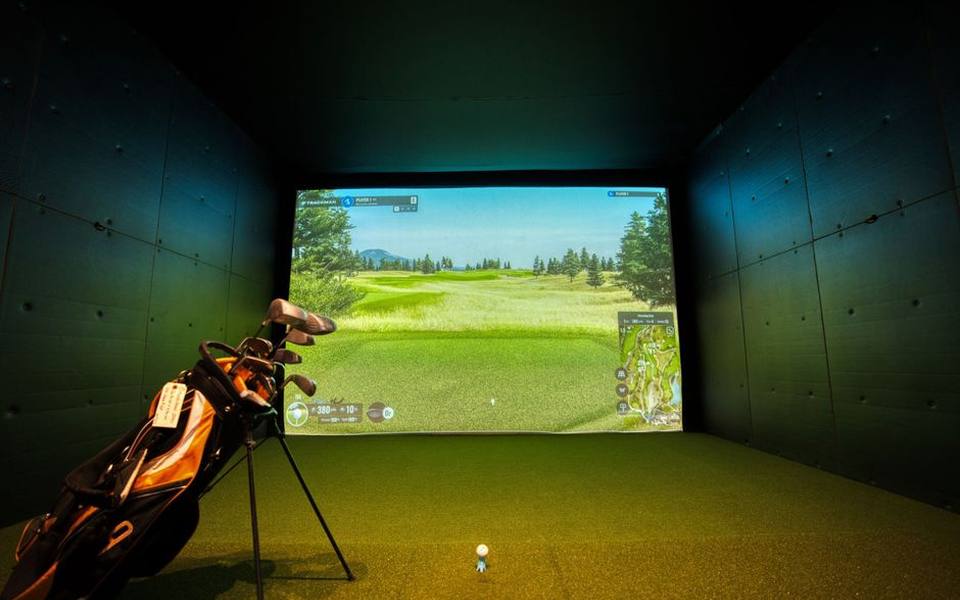
Ceiling-mounted camera arrays capture stereoscopic high-speed images directly above the impact zone. These cameras observe ball rotation, launch angle, and club head delivery without needing ten to fifteen feet of ball travel before calculating flight physics. As a result, overhead camera systems deliver immediate feedback on spin rates and horizontal launch angles, minimizing the mathematical estimations that sometimes affect compact indoor radar setups.
Golfers who split practice time between living rooms and outdoor facilities often weigh versatility against dedicated home performance. While portable units travel easily to ranges equipped with ball tracking, permanent overhead units offer unmatched day-to-day convenience. You simply flip a wall switch, step onto the mat, and start hitting without spending ten minutes leveling legs or aligning alignment lasers on an uneven floor.
Understanding Uneekor Overhead Launch Monitors
Uneekor established a strong reputation among serious golfers by bridging the gap between entry-level consumer gadgets and commercial studio setups. Their optical tracking hardware relies on dual high-speed cameras mounted directly above or slightly behind the golfer, capturing hundreds of frames per second right at impact. This overhead placement eliminates the trip hazards and accidental club strikes associated with placing delicate electronic monitors directly on the hitting turf.
A standout feature of an Uneekor launch monitor is its visual confirmation software. Instead of presenting only a digital scorecard with swing metrics, the software displays slow-motion video footage of the clubhead meeting the golf ball. Golfers can visually verify their actual strike location on the face, confirming whether an errant shot was caused by an open club delivery or an off-center toe strike that twisted the head at impact.
Club tracking on modern overhead models captures path, face angle, angle of attack, and swing speed with high repeatability. For players working through swing changes, having exact visual proof of dynamic lie and impact point removes guesswork from practice. It bridges the gap between hitting blindly into a net and getting dialed feedback, much like what you would experience during professional club fitting sessions at an advanced facility.
Examining the Uneekor QED in Home Studios
The Uneekor QED launch monitor was the foundational model that proved overhead dual-camera tracking could be accessible for private garages and modest basements. Mounted roughly three and a half feet behind the hitting zone at a height of nine to ten feet, the QED sits completely out of harm from errant clubs or ricocheting golf balls. This rear-overhead geometry provides a clear, unobstructed view of both club delivery and initial ball launch.
A defining characteristic of the QED is its requirement for specially marked balls featuring high-contrast dots. The high-speed cameras track these black markings to calculate true backspin and side spin with surgical accuracy, rather than estimating numbers based on launch angle and club velocity. While some golfers prefer using unmarked premium balls, marked balls guarantee that spin decay and curvature accurately mirror true on-course behavior down to individual revolutions.
From an operational standpoint, the QED software package includes comprehensive practice ranges, club comparison modules, and skills challenges. Golfers can map their entire bag, establishing reliable carry yardages for cold or wet rounds where real ball flight is hard to evaluate outdoors. The unit requires minimal recalibration once properly fastened into ceiling joists, making it a dependable workhorse for year-round indoor training.
Looking at GolfJoy Systems and the Spica 3
As indoor golf simulation expanded globally, manufacturers developed hardware blending advanced optical tracking with integrated 3D graphics engines. The GolfJoy launch monitor lineup has gained traction among teaching facilities and residential builders seeking competitive imaging technology. Designed to deliver smooth simulation alongside detailed club analysis, these systems focus on high-fidelity visual rendering combined with low-latency shot processing to keep practice sessions flowing naturally.
Within their hardware family, the GolfJoy Spica 3 launch monitor stands out as an overhead tracking solution engineered for precision and clean aesthetics. The Spica 3 utilizes multi-camera optical sensors capable of recording thousands of frames per second to register critical metrics like club path, face-to-path relationship, smash factor, and vertical launch. Because the unit mounts overhead, it preserves a wide hitting area suitable for alternating between irons and long woods.
Software integration plays a central role in the Spica 3 experience, featuring realistic course environments and responsive practice green feedback. Unlike older simulator tech that struggled with putting fidelity and micro-chips, modern systems track short putts and delicate flop shots with realistic roll physics. Golfers who want structured practice rather than arcade gameplay appreciate the ability to analyze dispersion circles and angle of attack across multiple practice blocks.
Staying Sharp with Rainy Day Golf Routines
When poor weather makes outdoor fairways unplayable, indoor practice keeps hand-eye coordination sharp. Rainy day golf inside a climate-controlled room eliminates the frustrating delays of soaked turf, muddy balls, and cold hands that restrict shoulder turn. Instead of canceling weekend plans when storms roll in, having access to an indoor bay turns wet afternoons into highly productive scoring sessions.
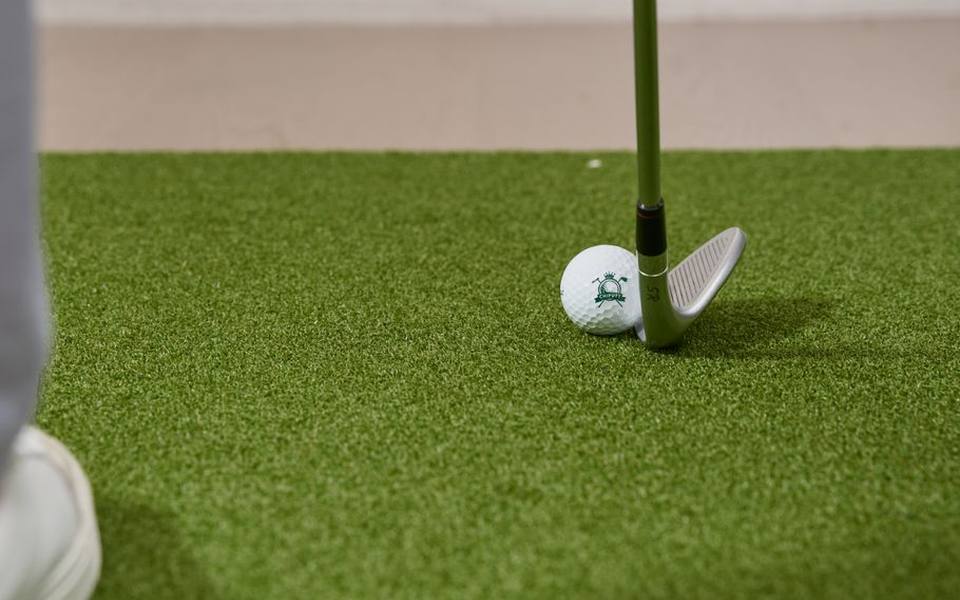
To maintain focus during indoor practice, structure your routine around specific targets rather than aimlessly firing drivers into the screen. Spend the first twenty minutes working on short-game trajectory control, attempting to land pitches within three-foot target circles on the virtual fairway. Follow this by simulating a full nine holes on a championship course layout, forcing yourself to accept bad lies and execute high-pressure rescue shots under simulator rules.
If you do not have space at home for an overhead camera rig, you can still maintain your game when bad weather strikes. Booking an hour at nearby covered driving ranges or visiting public simulator centers allows you to hit balls without standing under heavy rainfall. These facilities keep your rhythm intact throughout prolonged winter or rainy seasons, ensuring your swing feels fluid once fairways dry out.
Hitting Mats, Enclosures, and Room Protection
Hitting hundreds of balls into an indoor enclosure places immense kinetic force on your surrounding walls and your joints. A high-grade hitting mat is the most critical element for injury prevention; hitting off cheap, thin driving mats onto hard concrete can cause severe wrist tendinitis and elbow strain within weeks. Look for dense, multi-layer turf mats that incorporate a shock-absorbing foam or gel core designed to accept downward iron strikes.
Impact screens must be rated specifically for real golf balls traveling at speeds exceeding one hundred and fifty miles per hour. Triple-layer commercial screens weave tight polyester fibers that muffle loud acoustic cracks while displaying crisp high-definition projector images without tearing. Equally important is maintaining proper screen tension; a screen anchored too tightly will act like a trampoline, throwing balls back at the golfer with dangerous ricochet velocity.
Side barriers, foam corner padding, and overhead baffle nets complete a safe indoor hitting station. Even seasoned single-digit handicappers occasionally catch an iron off the hosel or push a driver thirty degrees right of the target. Installing padded side curtains extending at least ten to twelve feet out from the screen catches shanked balls before they can shatter garage windows, dent drywall, or damage ceiling lights.
Using Software Feedback to Fix Swing Faults
Hardware captures the ball and club data, but software dictates how effectively you translate that information into lower scores. Modern simulation platforms offer practice modes that break down swing dynamics into clear, actionable numbers. Metrics such as dynamic loft, closure rate, attack angle, and spin axis illuminate why a ball curved left or right, teaching you how small adjustments to your stance alter ball flight.
Virtual course play provides an exceptional training ground for mental discipline and course management. Navigating narrow virtual tree-lined corridors forces you to think strategically about club selection off the tee rather than automatically pulling the driver. Many platforms allow you to dial in local wind conditions, green speeds, and fairway firmness to replicate the specific challenges of your favorite real-world golf courses.
In addition, simulator software enables deep skills testing through combine challenges. A typical combine prompts you to hit three to five shots at randomized yardages, scoring each shot based on distance control and lateral dispersion. This type of gamified, measurable practice prevents mindless bucket-bashing and develops the exact distance control needed when standing over an awkward eighty-yard approach shot on a breezy Saturday morning.
Home Enclosures Compared to Commercial Simulator Bays
Deciding whether to build a dedicated home simulator or frequent a public indoor center comes down to space, budget, and long-term usage habits. A quality residential build featuring an overhead optical unit, custom enclosure, robust PC, and bright projector typically represents a substantial investment. For golfers with unfinished basements or tall two-car garages, the upfront cost pays dividends over years of convenient daily access.
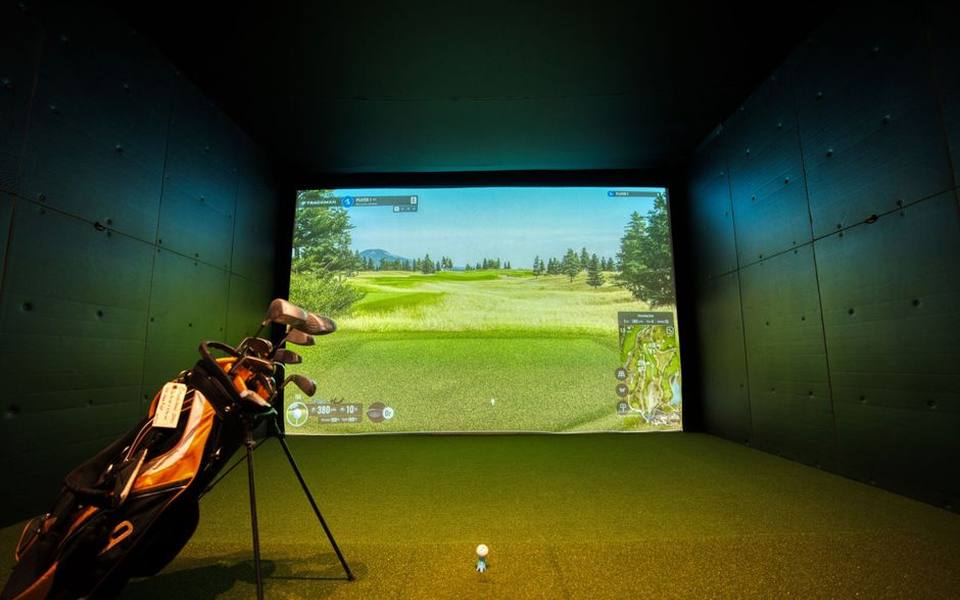
However, if your home lacks the necessary ceiling clearance or garage depth, visiting commercial facilities offers top-tier hardware without structural renovations. Commercial bays feature wide screens, premium mats, and commercial-grade cameras that are constantly calibrated and maintained by staff. Exploring local public driving ranges and modern indoor simulator lounges gives you access to tournament software and multiplayer fun without giving up living space.
Furthermore, public simulator venues foster a social atmosphere where groups can play scrambles, join winter leagues, and test different club configurations. Many facilities also offer PGA-certified coaching alongside launch monitors, helping you diagnose the data correctly. Having an expert explain what your spin loft and face angle numbers mean accelerates improvement far faster than trying to interpret launch monitor algorithms entirely on your own.
Lighting Conditions, Calibration, and Routine Care
Overhead optical monitors are sensitive to their ambient lighting environment, which directly impacts tracking accuracy. Incandescent bulbs, fluctuating sunlight from open garage doors, or unshielded LED fixtures can create optical noise that interferes with high-speed camera sensors. Creating a controlled lighting environment with directional spotlighting over the hitting mat ensures the cameras capture clear, shadow-free frames of the ball and clubface.
Regular maintenance extends the life of your equipment and prevents inaccurate data readings over time. High-speed cameras should have their protective lenses gently dusted with microfiber cloths to prevent dust accumulation from hitting mats and chalk markings. Likewise, inspect your golf balls regularly; balls with small scuffs, cuts, or sharp marker stains will shred impact screen fibers and leave indelible marks across your projection surface.
Keep your turf area clean by vacuuming loose grass fibers and dust that migrate from the hitting mat into the launch monitor line of sight. Calibration checks should be run periodically according to manufacturer software guidelines, especially if the mounting frame experiences vibrations from overhead garage door openers. A properly aligned and clean tracking system ensures that every swing produces reliable, trustworthy ball data year-round.
Published 2026-09-21 · reviewed with each rebuild, last September 2026.
Find driving ranges near you
The directory lists 3,693 driving ranges by state and city — pick your state or use the “Near me” button in the header.
More guides
-
 Buying
Realistic Costs and Equipment Needed for a Home Golf Simulator
-
 Service
Golf Club Maintenance: Regripping and Reshafting Guide
-
 Money
MoneyGolf Lessons Cost and Beginner Guide: What to Expect and How to Budget
-
 Buying
Golf Club Fitting Cost and Selection Guide
-
 Buying
A Practical Guide to Buying, Selling, and Trading In Used Golf Clubs
-
 Money
MoneyDriving Range Costs, Practice Routines, and Range Etiquette
-
 Service
Fixing Topped Shots and Improving Ball Striking on the Range
-
 Buying
Best Golf Launch Monitors Buying Guide: Space, Tech, and Budget
-
 Buying
The Complete Guide to Buying Used Golf Clubs and Pre-Owned Equipment
-
 Buying
How to Choose the Best Local Golf Shop and Pro Shop Services
-
 Owning
Miniature Golf and Putt-Putt Guide: Rules, Courses, and Family Fun
-
 Service
Complete Guide to Custom Golf Fitting and Shaft Selection
-
 Buying
Complete Guide to Buying and Maintaining Golf Shoes and Cleats
-
 Owning
Designing and Installing Indoor and Backyard Putting Greens
-
 Service
Golf Swing Analytics, Speed Training, and Shot Tracking Systems
-
 Buying
Golf Practice Nets, Driving Mats, and Backyard Hitting Setups
-
 Buying
How to Buy Used Golf Clubs and Get the Best Demo Day Deals
-
 Owning
Custom Golf Gear Personalization: Stampers, Bags, and Embroidery
-
 Buying
Selecting and Setting Up Home Golf Simulators and Launch Monitors
-
 Service
Choosing Golf Academies, Lessons, and Coaching Programs
-
 Buying
Custom Golf Club Fitting: Shafts, Clubheads, and Specifications
-
 Service
Entertainment Driving Ranges: Planning Group Outings, Corporate Events, and Bachelor Parties
-
 Service
Mini Golf, Footgolf, and Indoor Golf: Complete Venue Guide and Directory
-
 Owning
Tournaments, Scoring Tech, and Gear Upkeep: The Modern Golfer's Guide
-
 Buying
Golf Equipment and Club Fitting Guide: Starter Sets, Drivers, and Custom Builds
-
 Buying
Finding the Right Golf Pro Shop and Equipment Retailer
-
 Owning
Designing and Hosting Mini Golf Events: Indoor Party Venues and Practice Games
-
 Buying
Golf Laser Rangefinders Buyer's Guide: Features, Accuracy, and Value
-
 Owning
Golf Club Groove Maintenance: Tools, Techniques, and Equipment Care
-
 Buying
Commercial Golf Green Mowers: Maintenance, Selection, and Buying Guide
-
 Owning
Best Mobile Golf Simulators and Games for Practice and Play
-
 Owning
Fixing Heavy Contact, Managing Distance, and Choosing Cold-Weather Gear
-
 Buying
Club Car Golf Carts: The Practical Guide to Buying, Inspecting, and Customizing
-
 Owning
Complete Guide to Putt-Putt Games: History, Titles, Platforms, and Walkthroughs
-
 Service
Top Sports Bars and Lounges: How to Pick the Best Game-Day Spots in NYC and Florida
-
 Safety
24-Hour Gun and Shooting Ranges: Availability, Rules, and Finding Round-the-Clock Facilities
-
 Owning
Golf Green Mobile Estates: Guide to Golf Community Living and Amenities