What It Takes to Build a Home Golf Simulator
Building a functional golf simulator at home comes down to matching your physical ceiling height and budget against the tracking technology that fits the room. At minimum, a practical setup requires a hitting surface, an impact screen or baffle net, a computing device, and a launch monitor capable of reading ball speed, launch angle, and spin axis. While commercial installations can easily climb past thirty thousand dollars, capable residential builds typically start much lower if you understand where component trade-offs occur.
The first consideration is always physical clearance rather than electronics. To take a full, uninhibited swing with a driver, most golfers need a ceiling height of at least nine and a half to ten feet, along with twelve to fifteen feet of room depth. If you try to force a setup into an eight-foot basement or cramped spare room, your swing mechanics will instinctively flatten out to avoid clipping drywall. Taking accurate measurements before spending a dollar on hardware prevents costly setup failures.
Choosing between an overhead optical unit, a floor-based photometric camera, or a radar monitor dictates how your room must be laid out. Optical cameras read ball and club data right at impact, requiring very little ball flight distance to deliver reliable metrics. Radar units, by comparison, often require significant runway behind the tee and into the net to track the ball's trajectory, making optical units the prevailing choice for garages, basements, and compact rooms.
Radar Tracking Versus Optical Camera Systems
Golfers who spend time practicing at modern facilities often encounter commercial radar systems, such as full-facility Trackman range installations, which track the entire outdoor ball flight across hundreds of yards. While radar excels in wide-open fields and open-air bays, it faces inherent hurdles when compressed inside an enclosed residential garage. Radar units need several feet of space behind the ball to see the club delivery, plus another ten to twelve feet of unobstructed ball flight toward the screen to measure spin accurately.
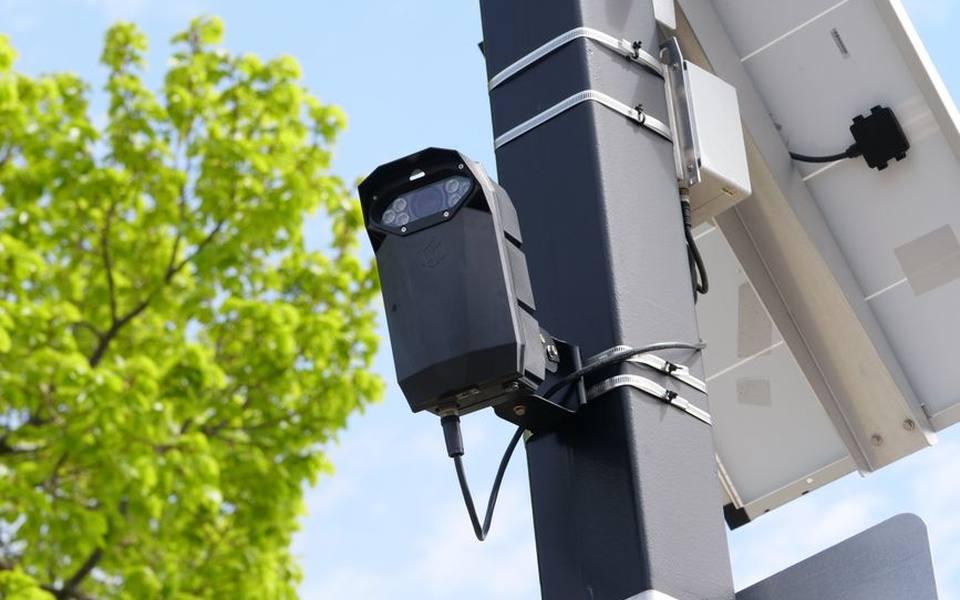
In contrast, photometric and high-speed camera systems capture instantaneous image sequences at the exact moment of impact. Because the cameras take hundreds or thousands of frames per second right as the face meets the ball, they do not require long ball flight to calculate initial launch conditions. For home environments where every foot of depth counts against vehicle parking or storage shelving, optical tracking provides far higher consistency in tight spaces.
Lighting conditions also influence how these technologies perform in real-world spaces. Radar is largely unaffected by ambient light or bright sunshine, which is why commercial setups at ranges with ball-tracking technology rely on it outdoors. Optical monitors, however, depend on carefully balanced infrared or visible light strobes to illuminate the ball's dimples or markings, making controlled indoor ambient lighting essential for avoiding misreads and dropped shots.
Overhead Launch Monitors and Ceiling Mounted Systems
Overhead launch monitors have become the gold standard for dedicated simulator bays because they keep the floor completely clear of hardware, cables, and alignment stands. Flagship models like the Uneekor Eye XO2 utilize triple high-speed optical cameras mounted directly above the hitting zone to track ball parameters and detailed club face presentation. By positioning the sensors overhead, players eliminate the danger of accidentally hitting the tracking device with a stray hosel rocket or mishit wedge.
The biggest practical advantage of a ceiling system is seamless play between right-handed and left-handed golfers. With floor-mounted units, hosting a match between players of opposite dexterity requires constantly sliding the monitor across the mat and realigning it to the target line between every shot. An overhead system like the Eye XO2 provides a wider hitting zone—typically spanning over twenty inches wide by fifteen inches deep—allowing both golfers to tee off comfortably without moving any hardware.
Installing an overhead unit does require structured mounting into ceiling joists and precise height calibration, typically between nine and ten feet above the turf. Wiring must be routed cleanly through conduit or ceiling drywall to your gaming computer, which adds some installation labor upfront. Once secured, however, these ceiling systems maintain their calibration permanently, removing the need for daily leveling, battery recharging, or realignment routines before your practice session begins.
Floor Mounted Camera Systems: Reviewing the Eye Mini Family
For golfers who want professional-grade optical accuracy without permanent ceiling construction, portable floor-standing units represent the fastest-growing category. An in-depth Uneekor Eye Mini review reveals that dual high-speed infrared cameras can capture ball speed, spin axis, backspin, and angle of attack with remarkable precision right off the turf. Because it features an integrated display screen, golfers can receive instant feedback on the range or in the garage without needing to boot up a full simulation projection system.
The Eye Mini line reads club metrics directly by tracking specialized reflective stickers placed on the club face, giving players accurate face angle, path, and strike location data. For those who keep their gear in a multi-use room, portability is a major asset; you can pack the unit into a protective travel case and take it to outdoor practice tees or friend's houses. The built-in battery typically supports hours of continuous outdoor practice before requiring a wall outlet.
Golfers evaluating packages often come across the Uneekor Eye Mini Core bundle, which packages the standalone hardware with software tiers, calibration boards, and basic mounting accessories. While highly capable, floor monitors do occupy a portion of your hitting mat footprint. Players must position the unit approximately a foot and a half to two feet outside the ball-striking area, which demands careful alignment to ensure the camera sensors maintain a square line of sight to the target.
Dedicated Garage Bays: The Eye Mini Lite Alternative
Golfers who plan to leave their hardware permanently plugged into a PC inside a garage or spare room often look closely at dedicated stationary models. A hands-on Uneekor Eye Mini Lite review highlights that it houses the exact same dual high-speed camera sensors as its portable sibling, but strips away the internal lithium battery, LCD top screen, and Wi-Fi antennas. By eliminating these portable components, the Uneekor Mini Lite significantly drops the purchase price while retaining full club and ball tracking fidelity.
The trade-off with the Mini Lite is strict tethering. The unit must remain connected via an Ethernet-to-USB cable directly to a high-performance Windows PC and requires an active AC power adapter at all times. This makes it impractical for golfers wanting to carry their launch monitor outside to the driving range. However, for a dedicated residential bay, tethering is often an advantage, as you never have to worry about battery degradation or wireless network drops mid-round.
Setting up the Mini Lite requires establishing a permanent hitting box on your mat and keeping the surrounding floor free of clutter. Because the device sits low to the turf alongside the ball, players should invest in a basic polycarbonate or metal protective shield to guard against ricochets or errant heel strikes. For static installations where cost-to-performance ratio is the top priority, tethered floor models deliver studio-grade data at a fraction of ceiling-mount costs.
Swing Cameras and Motion Tracking Integration
Launch monitors provide exact numeric feedback about what the ball and club did at impact, but they cannot tell you why your body moved that way. To diagnose swing flaws fully, pairing your launch monitor with synchronized high-speed video is the logical next step. Hardware options like Uneekor Swing Optix high-speed cameras record high-frame-rate video from both face-on and down-the-line angles, syncing every frame directly to the impact trigger of the launch monitor.
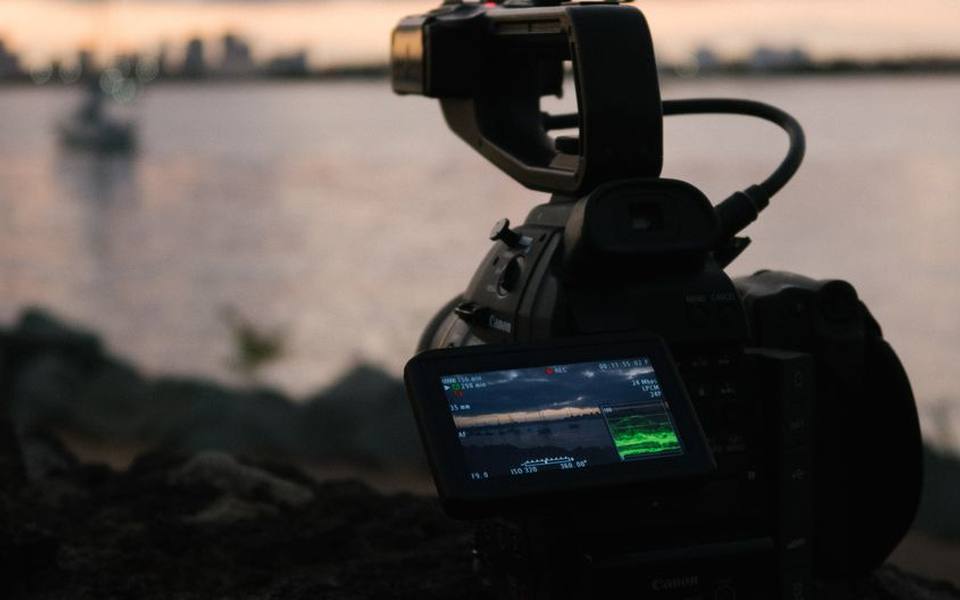
High frame rates are critical for golf swings; standard webcams recording at thirty or sixty frames per second produce severe motion blur at the bottom of the downswing, turning the shaft and clubhead into an invisible smudge. Specialized swing cameras capture upwards of one hundred and forty frames per second with global shutter sensors, allowing you to pause the video at shaft-parallel or impact and see pristine clubface orientation without digital warping.
Modern coaching software increasingly incorporates machine learning to analyze these video feeds automatically. Tools like the Uneekor AI Trainer evaluate posture, spine angle, hip sway, and head movement across the entire swing sequence without requiring manual line drawing. By cross-referencing launch monitor ball data with automated visual tracking, golfers can pinpoint whether a sudden push-fade is stemming from early extension, an open face, or an out-to-in swing path.
Software Engines and Course Libraries
The launch monitor tracks physical motion, but the software engine renders the simulated environment, ball physics, and green undulations. Many modern systems interface with established simulation platforms, with E6 Connect courses remaining among the most widely recognized standards across residential and commercial setups. Playing realistic digital recreations of world-famous venues like Pebble Beach or Bandon Dunes requires reliable ball-physics engines that properly calculate wind, elevation, and turf friction.
When purchasing software, golfers must navigate diverse licensing structures that can dramatically alter ownership costs. Some platforms operate on lifetime perpetual licenses, while others require annual subscriptions ranging from a few hundred to over a thousand dollars per year depending on course access and multiplayer capabilities. Launch monitor manufacturers also frequently impose their own baseline software subscription tiers to unlock third-party software connectors or advanced club data metrics.
Computer processing hardware is the hidden expense in any software deployment. Running graphics engines at 4K resolution on a massive impact screen demands a gaming PC with a robust dedicated graphics card, modern processor, and ample solid-state storage. Trying to run modern simulator software on a budget work laptop typically results in severe frame-rate stutter, input lag after impact, and frequent software crashes that disrupt practice flow.
Enclosures, Turf Mats, and Ceiling Protection
The impact enclosure and hitting turf represent the physical heart of your build, and skimping here often leads to physical injury or property damage. Striking hundreds of golf balls off cheap, thin driving mats transmits severe shock into the golfer's wrists, elbows, and lead shoulder. Investing in a dense, fiber-tufted hitting mat that accepts standard wooden tees or incorporates progressive gel/foam backing is critical for joint longevity during daily winter practice sessions.
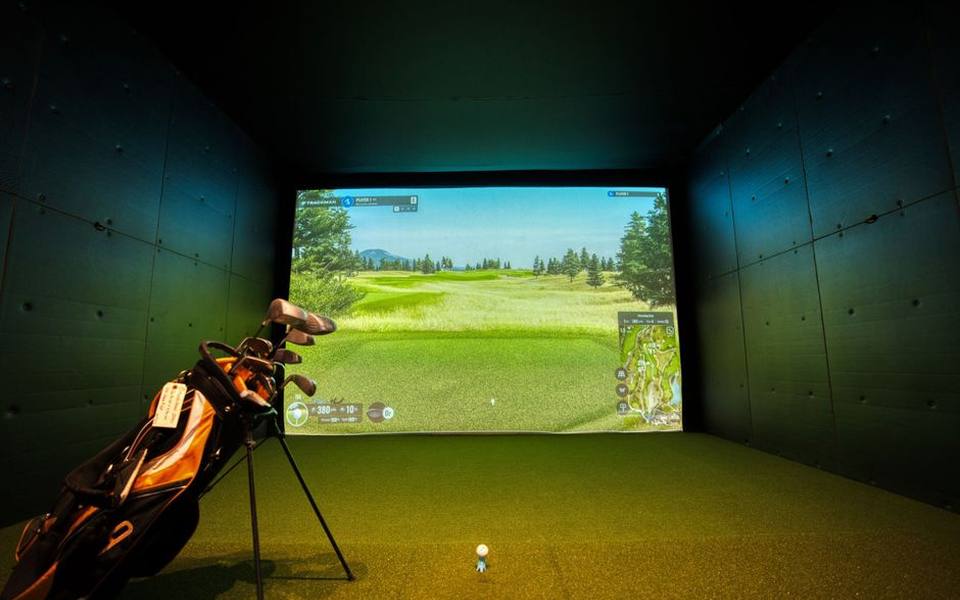
Impact screens must balance durability, noise dampening, and picture sharpness. High-grade three-layer polyester mesh screens can absorb ball speeds exceeding one hundred and seventy miles per hour while reducing the loud 'crack' of impact to a dull thud. Side barrier netting and top ceiling baffles are equally non-negotiable; even single-digit handicap golfers occasionally hit extreme shanked balls or high sky-marks off the driver crown that can puncture garage drywall or shatter nearby light fixtures.
Bounceback management is a critical safety consideration when setting up enclosure tension. An impact screen pulled excessively tight acts like a trampoline, throwing balls right back toward the golfer at dangerous velocities. Leaving twelve to sixteen inches of free air behind the screen, securing the bottom edge loosely with foam cushions, and using adjustable bungee cords allows the screen to absorb the kinetic energy cleanly, letting the ball drop quietly onto the floor.
Designing Affordable Golf Simulators on a Budget
Planning affordable golf simulators requires separating must-have tracking accuracy from luxury aesthetic elements. If your primary objective is winter game improvement, you do not need an expensive 4K laser projector, custom padded acoustic walls, or motorized drapery. A functional DIY bay can be constructed using an off-the-shelf heavy-duty pipe frame, high-grade baffle net, a quality hitting strip, and a mid-range television mounted safely off to the side to display shot metrics.
Where budget builders make mistakes is cutting corners on the launch monitor itself. Opting for unproven radar units that struggle in confined garage bays often leads to inaccurate spin readings, frustrating missed shots, and distorted distances that ruin real-world club gapping. Investing the bulk of your budget into a dependable optical monitor ensures your swing changes produce real results on the golf course, even if your ball hits a five-hundred-dollar net rather than a four-thousand-dollar projection screen.
Another practical way to control expenses is utilizing hybrid hitting setups. Instead of carpeting an entire two-car garage with expensive commercial turf, you can purchase a dedicated three-foot by five-foot stance mat paired with an interchangeable hitting strip cut into foam gym floor tiles. When wear patterns inevitably develop in the primary strike area, replacing an inexpensive hitting insert costs a fraction of buying an entirely new full-sized stance mat.
Testing Equipment at Commercial Facilities Before Buying
Committing several thousand dollars to home simulator hardware is a significant financial step, and the best way to validate your preferences is to test the gear in person. Visiting local commercial venues, such as dedicated indoor golf & simulator bays, gives you direct experience with different hitting mats, screen textures, and camera-based tracking interfaces before you purchase equipment for your home.
Observing how different systems track various club types provides valuable context for your own swing. Some monitors track drivers effortlessly but require careful ball placement when hitting high-lofted wedges or putting. While visiting commercial centers, pay close attention to projector brightness ratings, screen bounceback distances, and ambient lighting setups to see how those elements translate into your available residential square footage.
You can also schedule sessions at facilities offering professional club fitting services or spend time at regional covered driving ranges equipped with digital tracking to compare launch metrics against your baseline expectations. Seeing professional-grade launch monitors perform alongside seasoned clubfitters clarifies which club path, face angle, and spin numbers actually matter for your personal swing development.
Published 2026-09-21 · reviewed with each rebuild, last September 2026.
Find driving ranges near you
The directory lists 3,693 driving ranges by state and city — pick your state or use the “Near me” button in the header.
More guides
-
 Buying
Realistic Costs and Equipment Needed for a Home Golf Simulator
-
 Service
Golf Club Maintenance: Regripping and Reshafting Guide
-
 Money
MoneyGolf Lessons Cost and Beginner Guide: What to Expect and How to Budget
-
 Buying
Golf Club Fitting Cost and Selection Guide
-
 Buying
A Practical Guide to Buying, Selling, and Trading In Used Golf Clubs
-
 Money
MoneyDriving Range Costs, Practice Routines, and Range Etiquette
-
 Service
Fixing Topped Shots and Improving Ball Striking on the Range
-
 Buying
Best Golf Launch Monitors Buying Guide: Space, Tech, and Budget
-
 Buying
The Complete Guide to Buying Used Golf Clubs and Pre-Owned Equipment
-
 Buying
How to Choose the Best Local Golf Shop and Pro Shop Services
-
 Owning
Miniature Golf and Putt-Putt Guide: Rules, Courses, and Family Fun
-
 Service
Complete Guide to Custom Golf Fitting and Shaft Selection
-
 Buying
Complete Guide to Buying and Maintaining Golf Shoes and Cleats
-
 Owning
Designing and Installing Indoor and Backyard Putting Greens
-
 Service
Golf Swing Analytics, Speed Training, and Shot Tracking Systems
-
 Buying
Golf Practice Nets, Driving Mats, and Backyard Hitting Setups
-
 Buying
How to Buy Used Golf Clubs and Get the Best Demo Day Deals
-
 Owning
Custom Golf Gear Personalization: Stampers, Bags, and Embroidery
-
 Service
Choosing Golf Academies, Lessons, and Coaching Programs
-
 Buying
Custom Golf Club Fitting: Shafts, Clubheads, and Specifications
-
 Service
Entertainment Driving Ranges: Planning Group Outings, Corporate Events, and Bachelor Parties
-
 Service
Mini Golf, Footgolf, and Indoor Golf: Complete Venue Guide and Directory
-
 Owning
Tournaments, Scoring Tech, and Gear Upkeep: The Modern Golfer's Guide
-
 Buying
Golf Equipment and Club Fitting Guide: Starter Sets, Drivers, and Custom Builds
-
 Buying
Finding the Right Golf Pro Shop and Equipment Retailer
-
 Owning
Designing and Hosting Mini Golf Events: Indoor Party Venues and Practice Games
-
 Buying
Indoor Golf Practice and Launch Monitors: How to Build Your Studio
-
 Buying
Golf Laser Rangefinders Buyer's Guide: Features, Accuracy, and Value
-
 Owning
Golf Club Groove Maintenance: Tools, Techniques, and Equipment Care
-
 Buying
Commercial Golf Green Mowers: Maintenance, Selection, and Buying Guide
-
 Owning
Best Mobile Golf Simulators and Games for Practice and Play
-
 Owning
Fixing Heavy Contact, Managing Distance, and Choosing Cold-Weather Gear
-
 Buying
Club Car Golf Carts: The Practical Guide to Buying, Inspecting, and Customizing
-
 Owning
Complete Guide to Putt-Putt Games: History, Titles, Platforms, and Walkthroughs
-
 Service
Top Sports Bars and Lounges: How to Pick the Best Game-Day Spots in NYC and Florida
-
 Safety
24-Hour Gun and Shooting Ranges: Availability, Rules, and Finding Round-the-Clock Facilities
-
 Owning
Golf Green Mobile Estates: Guide to Golf Community Living and Amenities